
Smart Equipment: How to Improve Productivity on Your Site
Smart Equipment: How to Improve Productivity on Your Site
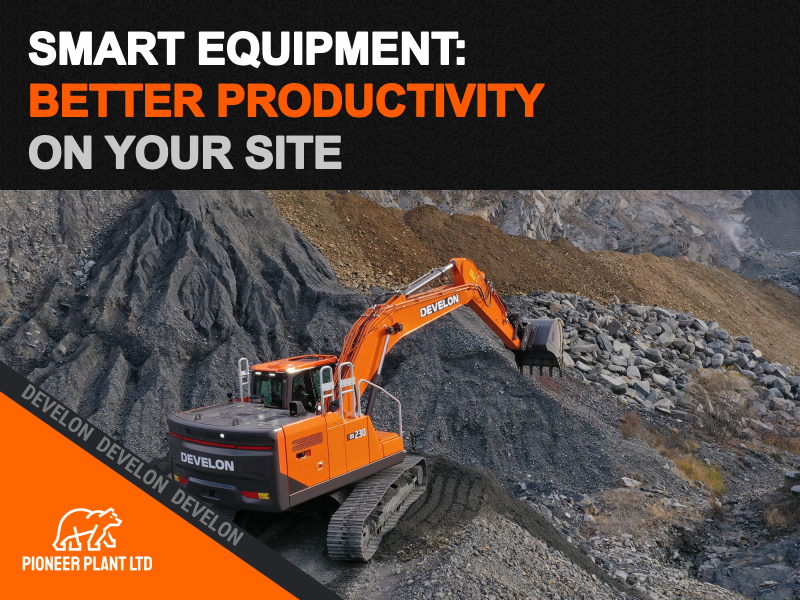
A productive day on site depends on more than engine power or digging capacity. The machine has to suit the work, the operator needs confidence in its controls, and servicing needs to fit around the programme.
Smart construction equipment can help bring those priorities together. Connected fleet information and operator assistance can make it easier to spot wasted time, plan maintenance and carry out work consistently.
At Pioneer Plant, our starting point is the job itself. Here are five practical checks to help you decide which technology will earn its place in your operation.
1. Identify where productive time is being lost
Before comparing features, look at the delays you want to reduce.
Is a machine regularly waiting for material or transport? Does an attachment change take longer than expected? Are you moving equipment between sites without a clear picture of how much it is being used? Does servicing become urgent because nobody has checked the hours?
These are different problems, and they need different answers.
For example, a larger machine will not resolve a loading operation that is repeatedly held up by truck availability. Likewise, guidance technology will deliver limited value if the operator has not been shown how to set it up for the task.
A useful equipment discussion begins with the work sequence, the site conditions and the people using the machine.
2. Choose fleet information you can act on
Telematics gives owners a clearer picture of equipment beyond what they can see during a site visit.
Develon’s MY DEVELON platform brings together equipment information and digital services. Where supported, this includes location, uptime, utilisation and fuel information, alongside maintenance reminders and equipment defect notifications.
The value comes from acting on that information. Compare utilisation across your fleet when planning the next job. Review fuel information alongside the work completed and discuss unexpected patterns with the operator. Use maintenance information to help schedule servicing before a busy period.
Start with a few measures that matter to your business and review them regularly. A manageable routine is more useful than collecting reports nobody has time to read.
The information available depends on the machine, its equipment and the services supported in your region.
3. Test assistance systems against everyday tasks
Accurate work depends on the operator, the machine and a clear understanding of the required result. Assistance technology can support that process.
For example, Develon offers Machine Guidance 2D and Smart Control 2D on the DX230LC-9 to provide guidance and grade control during digging and grading.
Specification matters. The European DX230LC-9 brochure lists these features within optional smart packages for a monoboom and standard arm. Confirm the current UK specification and availability for the particular machine you are considering.
When assessing a system, consider the tasks your operators repeat most often. Ask how settings are entered, how information is displayed and what familiarisation will be needed.
A demonstration gives you an opportunity to assess whether the controls and feedback make sense for your operation.
4. Check the complete machine and attachment combination
Technology cannot compensate for an unsuitable attachment or a machine that struggles with the site layout.
Bucket choice, attachment compatibility, hydraulic requirements, reach and access all deserve attention before an order is placed. A machine that switches between digging, breaking and material handling needs to be specified around that workload.
Pioneer Plant supplies attachments alongside new machinery, including Develon hydraulic breakers. We can help you consider the equipment combination for your application.
Alongside Develon’s integrated systems, our Smart Solutions range offers Leica and Trimble 2D and 3D machine control, plus engcon and Steelwrist tiltrotators. These provide further options when specifying equipment around your work. Talk to us about machine compatibility, installation and the support each solution needs.
Explain the material you handle, the space available and how the work changes through the day. That gives us a more useful basis for advice than machine weight alone.
5. Plan the support as carefully as the specification
Connected information can help flag maintenance requirements, but it needs to sit alongside daily checks, the manufacturer’s service schedule and a clear reporting process.
Make sure operators know who to contact when a warning appears. Keep machine details, operating hours and a description of the issue ready. That information helps the service team understand what needs investigating.
Pioneer Plant’s aftersales support includes servicing, genuine parts and technical support. Discuss your maintenance requirements when choosing the machine, so support is part of the plan from the outset.
When considering your next investment, bring details of your workload, current delays and expected utilisation. We can then discuss the machine, attachments and available technology that suit your business.
Call Pioneer Plant on 01536 697571 or contact our team to discuss your equipment requirements.
Inspired by Construction Briefing’s How smart equipment is improving jobsite productivity, with a practical perspective from Pioneer Plant and product information from Develon Europe.